Build Your Backrooms Builder Tools Hub
Checklists and planners that replace sketchy scripts—layout QA and cash routing for Wind Sun Moon [WSM]'s maze game.
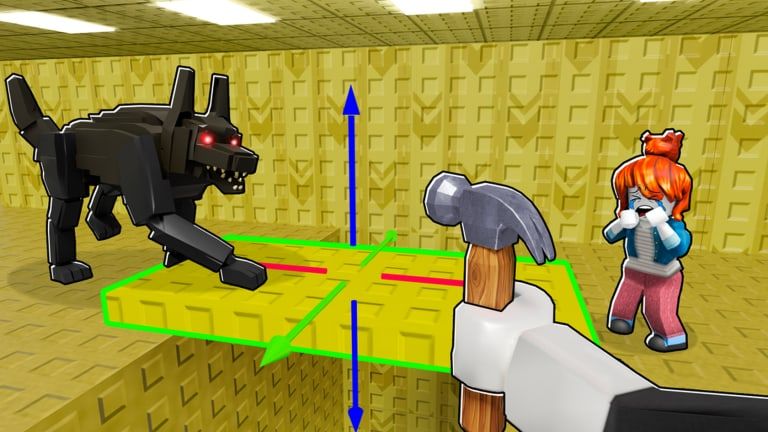
The Tools Hub collects practical planners for Build Your Backrooms on Roblox—no executors, no paste bins, no promises this wiki cannot verify. Wind Sun Moon [WSM] built a loop around designing mazes, placing monsters, collecting unlocks, and earning cash including offline income. These tools translate that loop into repeatable checklists you can follow every session.
If you landed here from the Scripts Hub, note that legitimate automation in this game is mostly offline monster catches, not third-party injectors. Tools here stay inside Roblox rules.
Available tools
Maze Design Checklist
Interactive-style markdown checklist for publishing-ready mazes:
- Pathing compression and choke-point coverage
- Monster role alignment with building types
- Six-player co-op test passes
- Visitor retention vs difficulty balance
- Pre-publish screenshot and social share QA
Use after major edits and before promoting your maze link.
Cash Progress Tips
Spend-order planner covering:
- Early hallway vs monster purchases
- Offline income optimization
- When to expand maze length vs upgrade hunters
- Mid-game savings targets tied to tier lists
- Common cash leaks from overbuilding wide rooms
Pair with Monsters Tier List and Buildings Tier List numbers.
Session Planner
Timed session blocks for busy builders:
- 20 / 40 / 60 minute plans for build, explore, or offline prep tracks
- Minute-by-minute tables so sessions finish with a clear stop point
- Links to Explore Other Mazes, Multiplayer and Friends, and Tips and Common Mistakes
- Post–August 2026 patch retest reminders tied to Updates Hub
Use when you have limited time but want structured progress instead of idle shop browsing.
Who these tools are for
| Player type | Start here | Why |
|---|---|---|
| Day-one beginner | Maze Design Checklist (lite sections) | Avoid rebuilding after first visitors |
| Income-focused farmer | Cash Progress Tips | Faster path to offline payouts |
| Showcase builder | Maze Design Checklist (visual QA) | Keep horror vibe without broken pathing |
| Returning after patch | Session Planner + both checklists + Updates Hub | August 2026 metadata refresh may change pathing or earnings |
| Time-boxed weeknight | Session Planner (20 min track) | Finish one meaningful task without overtime |
Tools vs guides vs tier lists
| Resource type | Answers | Example page |
|---|---|---|
| Tools | ”What steps do I run?” | Maze Design Checklist |
| Guides | ”How does this mechanic work?” | Getting Started |
| Tier lists | ”What is strongest?” | Tier List Hub |
| Catalog | ”What exists?” | Catalog Hub |
Run tools after reading guides when you are new, before spending cash when you are optimizing.
Recommended weekly workflow
- Monday — Skim Updates Hub for shop or balance changes.
- Mid-week — Edit maze; run Maze Design Checklist before publishing.
- Weekend — Co-op test with friends (up to six players); log catches.
- After earnings spike — Open Cash Progress Tips; pick next unlock target.
- Monthly — Recompare roster to tier lists; retire B-tier fillers.
Offline income without scripts
Official game copy confirms monsters catch visitors offline. Tools cannot increase that rate beyond better layout and roster choices—but they help you avoid purchases that look strong and earn weak. That is the main reason this hub exists.
What we will not add here
- Script loaders or executor instructions (see Scripts Hub safety section)
- Fake calculators with invented Robux conversion rates
- “Click generator” spam pages
Future tools must be actionable, honest, and verifiable—calculators only when live game APIs or confirmed formulas exist.
Multiplayer testing note
Build Your Backrooms servers hold up to six players. Both tools assume you can recruit at least one friend for junction bait tests. Solo testing works but misses split-path behavior at forks.
Related wiki sections
- Maze Design Checklist — Layout QA tool
- Cash Progress Tips — Spend-order planner
- Session Planner — 20/40/60 minute session blocks
- Guides Hub — Mechanic walkthroughs
- Tier List Hub — Meta rankings
- Catalog Hub — Buildings and monsters reference
- Codes Hub — Promo rewards when live
Bookmark this hub if you iterate mazes often—the checklists stay useful long after tutorial quests finish.
Frequently Asked Questions
Quick answers for maze builders and explorers.
Do these tools require downloads?
No. Everything on the Tools Hub is wiki content you read and apply in-game. There are no executors, mods, or external programs.
Which tool should I use first?
New builders should start with the Maze Design Checklist lite sections, then switch to Cash Progress Tips once you earn steady income and plan unlocks.
Can tools replace tier lists?
No. Tier lists tell you what is strong; tools tell you how to deploy and afford those picks without wasting cash on layout mistakes.
Will you add a cash calculator later?
Only if verifiable in-game formulas or official stats become available. Until then Cash Progress Tips uses qualitative spend order rather than fake precision.